Advertisement
If you've heard about the Link Up phone program and you're wondering whether it can help with a second phone line — one dedicated to a medical alert device, a home-based business, or a caregiver hotline — you're asking exactly the right question. The answer isn't always straightforward, and the rules around Link Up phone program second phone line eligibility catch many people off guard. This guide breaks it all down in plain language so you can make the smartest decision for your household.
What Is the Link Up Program?
Link Up is a federal assistance program designed to help low-income households afford the one-time cost of connecting to phone service. Rather than lowering your monthly bill, Link Up reduces the upfront installation or activation fee — by up to $30 on landline connections, or in some cases by 50% of connection charges, whichever is less.
It's a one-time benefit, not a recurring discount. That distinction matters a lot when you're thinking about whether to use it on a primary line or a secondary one. Link Up is administered through participating phone providers and is available to households that already qualify for the Lifeline program — the federal benefit that reduces monthly phone or internet bills for eligible low-income consumers.
In short: if you qualify for Lifeline, you likely qualify for Link Up. But how and where you apply it is where things get more nuanced.
The Core Rule: One Benefit Per Household
Here's the key fact that answers the central question about Link Up phone program second phone line eligibility: both Lifeline and Link Up operate under a one-per-household rule. This means only one Lifeline benefit — and by extension, one Link Up benefit — can be active in a household at any given time, regardless of how many phone lines or devices are present.
The Federal Communications Commission (FCC) defines a household as any individual or group of individuals who live at the same address and share income and expenses. Even if two people in the same home each have their own cell phones or separate lines, only one of them can receive the Lifeline or Link Up discount.
The one-per-household rule is strictly enforced. Applying for the benefit on a second line while already receiving it on another line in the same household is considered a violation and can result in losing eligibility entirely.
What This Means for Medical Alert Devices
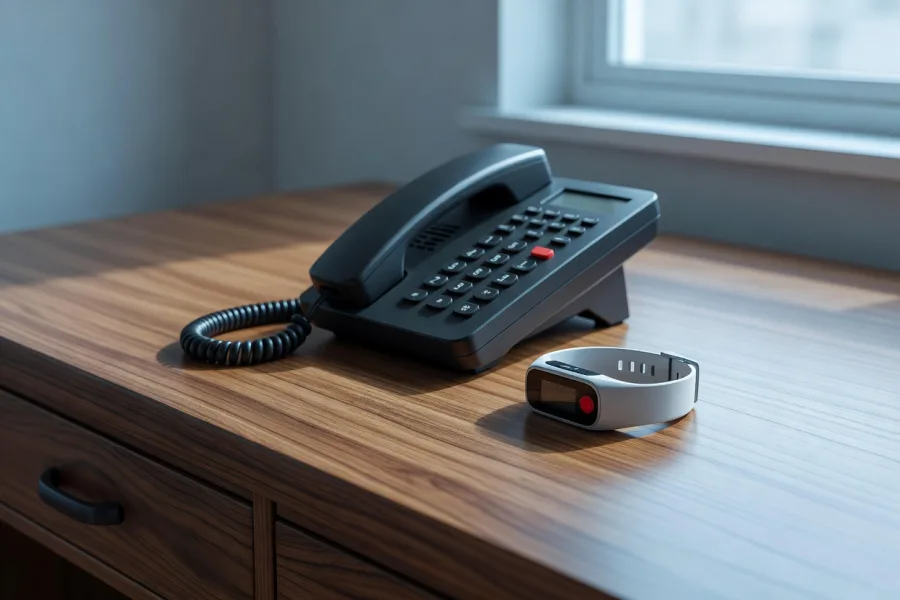
Many older adults rely on medical alert systems — those wearable or in-home devices that connect you to emergency services at the press of a button. Some of these systems require their own dedicated phone line or cellular connection to function. It's completely reasonable to wonder whether Link Up could help cover the activation cost for that separate line.
Unfortunately, under current federal rules, if your household is already receiving a Lifeline or Link Up benefit on your primary phone line, you cannot apply the Link Up discount to a second line used for a medical alert device. The benefit has already been used for your household.
However, there is a practical workaround worth considering:
- If you haven't yet activated Link Up on any line, you could choose to apply it to the medical alert device's connection rather than your primary phone — especially if the alert system is your most critical communication tool.
- If your primary line is already connected and Link Up has been used, the medical alert activation cost would need to be paid out of pocket or potentially covered by other assistance programs specific to medical devices or health services.
- Check with your medical alert provider directly — some companies offer their own senior discounts or payment assistance that may help offset connection costs independently of federal programs.
Home Offices and Caregiver Hotlines: Same Rules Apply
If you run a small home-based business or maintain a dedicated line for communicating with a caregiver or home health aide, the same restrictions around Link Up phone program second phone line eligibility apply. The federal benefit is tied to the household, not to individual lines or purposes.
That said, here are a few things to keep in mind if you're managing multiple communication needs:
- Prioritize strategically. If you haven't used Link Up yet, think carefully about which new connection — your business line, caregiver line, or medical alert line — will be most difficult to afford and apply the benefit there first.
- Explore Voice over Internet Protocol (VoIP) options. Some internet-based phone services offer lower activation costs naturally, which may reduce the financial burden of setting up a second line without needing a government discount.
- Ask about bundled plans. Some participating providers offer packages that include multiple lines under one account, which could reduce overall setup costs even if only one line qualifies for the Link Up discount.
Tribal Lands: Different Rules May Apply
If you live on federally recognized Tribal lands, the Link Up program offers enhanced benefits — potentially covering a larger portion of connection costs. The one-per-household rule still applies, but the amount of assistance available may be greater. Contact your local Tribal government or a participating provider in your area for details specific to your situation.
How to Check What You've Already Received
Not sure whether Link Up has already been applied to a line in your household? Here's how to find out:
- Contact your current phone provider and ask whether a Lifeline or Link Up benefit is active on your account.
- Visit the Universal Service Administrative Company (USAC) website — the organization that manages Lifeline and Link Up — to check enrollment status.
- Call the Lifeline Support Center for assistance reviewing your household's benefit history.
Knowing where things stand before you apply for a new connection can save you time, confusion, and potential compliance issues.
Making the Most of Link Up as an Older Adult
Even with its limitations, Link Up is a genuinely useful benefit — especially for older adults on fixed incomes where even a $30 connection fee can feel like a barrier. The key is being intentional about how and when you use it.
- If you're setting up phone service for the first time — whether it's a landline, cell phone, or dedicated device line — apply for Link Up before you activate service.
- Make sure you're also enrolled in Lifeline for ongoing monthly savings, since the two programs work together.
- Work with a participating provider who can walk you through both benefits at the same time, so nothing falls through the cracks.
Your Next Step
If you're ready to find out whether you qualify for Link Up — or if you want to understand how to use it most effectively for your household's specific needs — the best place to start is the official Lifeline program website managed by USAC at lifelinesupport.org. You can check your eligibility, find participating providers in your area, and get answers from trained support staff.
You can also call the Lifeline Support Center at 1-800-234-9473 (TTY: 1-888-546-3400) for personalized help. Representatives can tell you exactly how Link Up applies to your situation, including questions about second lines, medical alert devices, and other specific needs.
Don't leave money on the table. With a little planning, Link Up can help you get connected — to the line that matters most.
Advertisement