Advertisement
How to Use GoodRx at the Pharmacy and Start Saving Right Away
If you've been paying full price for your prescriptions, there's a good chance you're spending more than you need to. Learning how to use GoodRx at the pharmacy takes less than five minutes — and the savings can be significant. GoodRx is a free service that gives you discount coupons for prescription medications at over 70,000 pharmacies across the country, including CVS, Walgreens, and Walmart. No insurance card required. No membership fees. Just real savings, available to anyone.
Users save an average of $436 per year using GoodRx, and some medications are discounted by up to 80% off the retail price. In some cases, the GoodRx price is actually lower than what you'd pay using your insurance copay. For Americans 55 and older who are managing multiple prescriptions, this tool can make a meaningful difference every single month.
Step 1: Search for Your Medication on GoodRx
The first thing you'll do is look up your medication. You can do this in two ways:
- Visit goodrx.com on any computer or smartphone browser.
- Download the free GoodRx app on your iPhone or Android device — just search for GoodRx in your app store.
Once you're on the site or app, type the name of your medication into the search bar. This works for both brand-name and generic drugs. As you type, GoodRx will suggest matching medications — select yours from the list.
Choosing the Right Dosage and Quantity
After selecting your medication, GoodRx will ask you to confirm a few details:
- Dosage: For example, 10mg or 20mg
- Quantity: How many pills or doses your prescription covers, such as 30 tablets or 90 tablets
- Form: Tablet, capsule, liquid, cream, etc.
Make sure these match exactly what your doctor prescribed. Getting the details right ensures you're seeing the most accurate price and coupon for your situation.
Step 2: Compare Prices at Nearby Pharmacies
Here's where GoodRx really shines. Once you've entered your medication details, GoodRx will show you a list of pharmacies near you along with the discounted price at each one. Prices can vary quite a bit from one pharmacy to the next — sometimes by $20, $30, or more for the same drug.
You'll see familiar names like:
- CVS Pharmacy
- Walgreens
- Walmart Pharmacy
- Kroger
- Rite Aid
- Independent local pharmacies
Take a moment to compare a few options. You might find that your local grocery store pharmacy is significantly cheaper than the chain you usually use. GoodRx makes this comparison easy and fast, so there's no reason not to check before you go.
Step 3: Get Your Free GoodRx Coupon
Once you've chosen the best price at a pharmacy that's convenient for you, click or tap the Get Free Coupon button next to that pharmacy's listing. You have a few options for how to use your coupon:
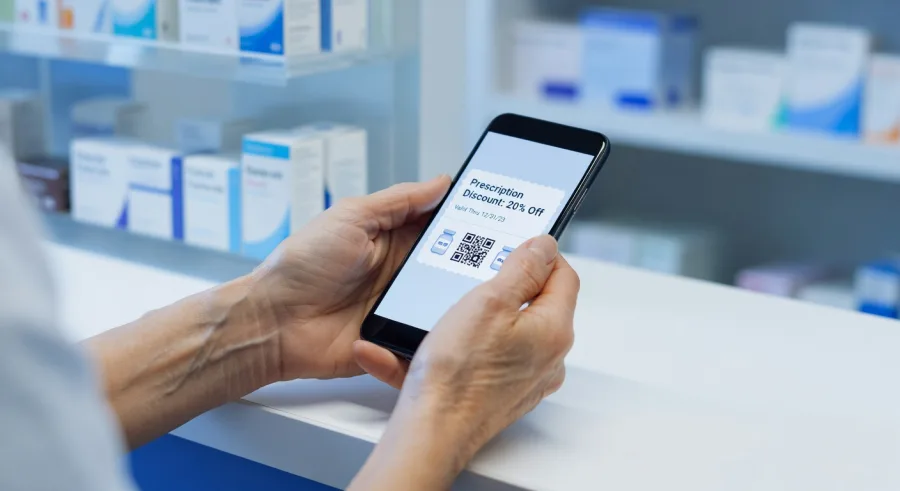
- Show it on your phone: The coupon will appear on your screen. You can show it directly to the pharmacist without printing anything.
- Print it out: If you prefer paper, you can print the coupon at home and bring it with you.
- Send it to your phone: GoodRx lets you text or email the coupon to yourself for easy access later.
The coupon includes all the details the pharmacist needs: a group number, member ID, BIN number, and PCN number. These are used to apply the discount at the register. You don't need to do anything with these numbers yourself — just hand over the coupon and let the pharmacy handle it.
Step 4: Present the Coupon at Pickup
This is the easiest part. When you arrive at the pharmacy to pick up your prescription, simply tell the pharmacist that you have a GoodRx coupon. Then show them the coupon on your phone, hand them the printout, or read them the information if needed.
A simple way to say it: Just tell the pharmacist, I have a GoodRx coupon I'd like to use for this prescription. They will know exactly what to do from there.
Important: GoodRx coupons cannot be combined with insurance on the same prescription. You'll need to choose one or the other. In many cases — especially for generics — the GoodRx price will actually be lower than your insurance copay. It's worth checking both before you decide.
What If the Pharmacist Isn't Familiar With GoodRx?
GoodRx is widely accepted, but occasionally a pharmacy staff member may be unfamiliar with how it works. If that happens, simply point to the BIN and Group numbers on the coupon and ask them to enter those into their system. You can also call GoodRx customer support directly from the app or website if you run into any issues. They're available to help walk the pharmacist through the process.
How to Use GoodRx at the Pharmacy Every Time
Once you've used GoodRx once, it becomes second nature. Many people make it a habit to check GoodRx every time they get a new prescription — or even for refills they've been picking up for years. Drug prices can change, and a medication you've been paying a certain amount for may now be available at a lower price.
You can also set up a free GoodRx account to save your medications, get price drop alerts, and track your savings over time. This is especially helpful if you take several prescriptions regularly.
Take the Next Step: Check Your Medication on GoodRx Today
GoodRx is one of the simplest, most accessible tools available to help Americans manage prescription costs — and it costs nothing to use. Whether you have insurance or not, it's worth checking before every prescription pickup.
- Visit goodrx.com to search for your medication right now
- Download the free GoodRx app on your smartphone for quick access at the pharmacy counter
- Compare prices at pharmacies near you and find the best deal before you go
There's no application process, no waiting period, and no eligibility requirements. Anyone can use GoodRx, starting today. Search your medication at goodrx.com and see how much you could be saving on your next prescription.
Advertisement