Advertisement
Why Your Lifeline Program Identity Verification May Have Failed — And Why Seniors Are Hit Hardest
If you applied for the Lifeline program and received a message saying the National Verifier could not confirm your identity, you are not alone. This is one of the most common reasons seniors get stuck during the Lifeline program identity verification process — and it does not mean you are ineligible. It simply means the automated system could not match your information to available digital records. The good news is that there is a clear path forward called a manual review, and completing it does not require you to start your application from scratch.
The Lifeline program is a federal benefit that provides a monthly discount — typically around $9.25 or more — on phone or internet service for qualifying low-income households. For older Americans on fixed incomes, that savings can make a real difference. But getting through the application process can feel frustrating when the identity check stalls out unexpectedly.
Why Older Americans Are Disproportionately Flagged by the National Verifier
The National Verifier is an automated system run by the Universal Service Administrative Company (USAC). It pulls from a range of digital databases to confirm who you are. The problem is that many of those databases are better at recognizing people who have left frequent digital footprints — recent credit activity, up-to-date government records, or newer state-issued IDs that have been scanned into modern systems.
Seniors, especially those 65 and older, often have records that do not fit neatly into those databases. Here are some of the most common reasons the Lifeline program identity verification fails for older applicants:
- Name discrepancies: A legal name change from marriage or divorce decades ago may not match current records consistently.
- Limited recent credit activity: Many older adults pay cash or have paid off credit accounts, leaving fewer active financial records.
- Outdated state ID or driver's license: IDs issued years ago may not appear in newer digital verification systems.
- Address mismatches: Moving to a senior living community, assisted living facility, or family member's home can create inconsistencies between records.
- Thin digital footprint: If you have not opened new accounts or updated information with federal agencies recently, less data is available for the system to match against.
None of these issues mean you are doing anything wrong. They are simply limitations of how the automated system works — and the manual review process exists precisely to handle situations like yours.
Lifeline Program Identity Verification Failed: What to Do Next with Manual Review
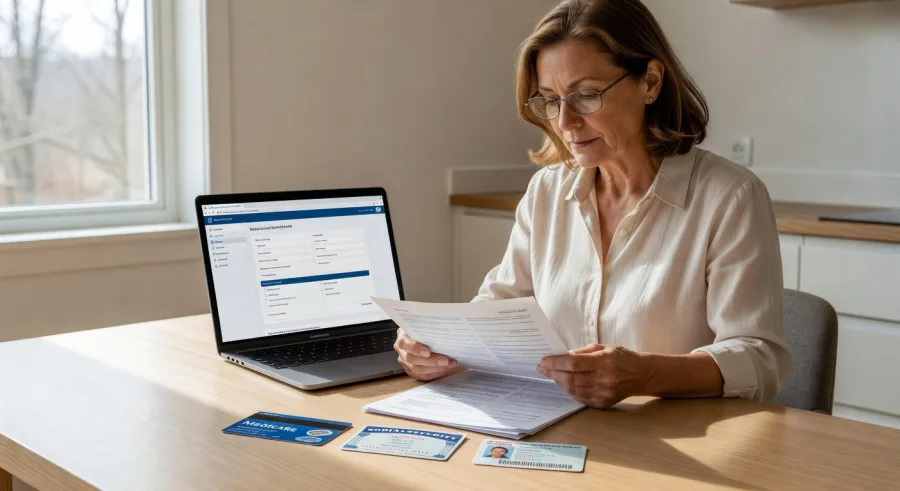
When the National Verifier cannot automatically confirm your identity, it will prompt you to submit documentation for a manual review. This is a standard part of the application process, not a denial. Here is exactly what you need to do.
Step 1: Do Not Close or Restart Your Application
This is important. When you see the identity verification failure message, your application is placed in a pending state. You have a window of time — typically 45 days — to submit your documents. If you close out and start a new application, you may lose your place. Look for the option on the screen or follow-up email to upload documentation or request a manual review.
Step 2: Gather One or More Acceptable Identity Documents
USAC accepts a range of documents to manually confirm your identity. You do not need all of them — usually one or two from the approved list will be enough. Acceptable documents typically include:
- Government-issued photo ID: A current or recently expired state driver's license or non-driver ID card.
- U.S. passport or passport card: Even an expired passport may be accepted in some cases — check the current USAC guidelines.
- Social Security card: Combined with another document showing your name and address.
- Medicare or Medicaid card: Especially useful for seniors, as these clearly link your name to a federal benefit program.
- Birth certificate: Often accepted as a secondary document to confirm identity.
- Tribal ID: If applicable.
- Military ID or Veterans ID card: Accepted as valid government-issued photo identification.
If your documents show slightly different name spellings or an older address, include a brief written note explaining the discrepancy. Reviewers are accustomed to this and will take your explanation into account.
Step 3: Submit Your Documents Through the National Verifier Portal
Log back into your application at the USAC National Verifier website. Look for the manual review or document upload section. You can upload photos or scans of your documents directly through the portal. If you do not have access to a scanner, a clear photo taken with a smartphone is usually acceptable as long as the text is legible and the edges of the document are visible.
If you need help uploading documents, many local libraries, senior centers, and Area Agency on Aging offices can assist you with the process at no cost.
Step 4: Wait for a Decision and Follow Up If Needed
After submitting your documents, USAC will review them and notify you of the outcome. This can take several business days. If you do not hear back within two weeks, you can contact USAC directly at 1-800-234-9473 to check the status of your manual review. Keep a record of any confirmation numbers or emails you receive during this process.
What Happens After Your Identity Is Confirmed
Once your identity is verified through the manual review, your Lifeline application moves forward. You will then need to confirm your eligibility — either through automatic verification if you are enrolled in a qualifying program like Medicaid, SNAP, SSI, Federal Public Housing Assistance, or a Veterans Pension benefit, or through income documentation if you qualify based on household income.
After approval, you choose a participating provider in your area and apply your Lifeline discount to a phone or internet plan. Some providers offer plans that are completely free for qualifying customers after the discount is applied. You are limited to one Lifeline benefit per household.
Remember: A failed identity check is not a denial. It is a request for more information — and thousands of seniors successfully complete the manual review process every year.
Take the Next Step Today
If your Lifeline program identity verification has failed or you are concerned about running into this issue, do not give up on your application. Gather your documents, log back into the National Verifier, and submit your manual review. You can start or continue your application by visiting lifelinesupport.org, the official USAC website for the Lifeline program. If you prefer to speak with someone directly, call the Lifeline Support Center at 1-800-234-9473 — representatives are available to walk you through the process step by step.
Advertisement